WordPress
Autoloaded Options Are Quietly Slowing Your WordPress Site
Every time WordPress handles a request, it runs a database query to pull every single row marked autoload = yes from the wp_options table directly into server memory.
Last reviewed
The query does not care whether a visitor is looking at a cached storefront, a standard post, or a background administrative screen. If the row carries that flag, the application loads it.
When sites degrade across every single route, developers often hunt through theme templates or blaming external APIs. Yet the culprit is frequently sitting inside that initial database fetch. Over years of operation, accumulated plugin settings, uncleaned arrays, and expired operational data balloon the autoload payload. The server parses this mass of data on every hit before rendering a single byte of markup.
+-------------------------------------------------------------------+
| Incoming HTTP Request |
+-------------------------------------------------------------------+
 |
 v
+-------------------------------------------------------------------+
| WordPress queries `wp_options` WHERE `autoload = 'yes'` |
+-------------------------------------------------------------------+
 |
 v
+-------------------------------------------------------------------+
| Engine builds single `alloptions` collection |
| (Serialized PHP array stored in memory / persistent object cache) |
+-------------------------------------------------------------------+
 |
 v
+-------------------------------------------------------------------+
| Page execution continues with entire payload in memory |
+-------------------------------------------------------------------+
The alloptions Array and the Request Pipeline
Documentation published by WordPress VIP states that WordPress aggregates all autoloaded rows into a single collection called alloptions. When a persistent object cache like Memcached is present, WordPress stores this entire collection under that specific cache key.
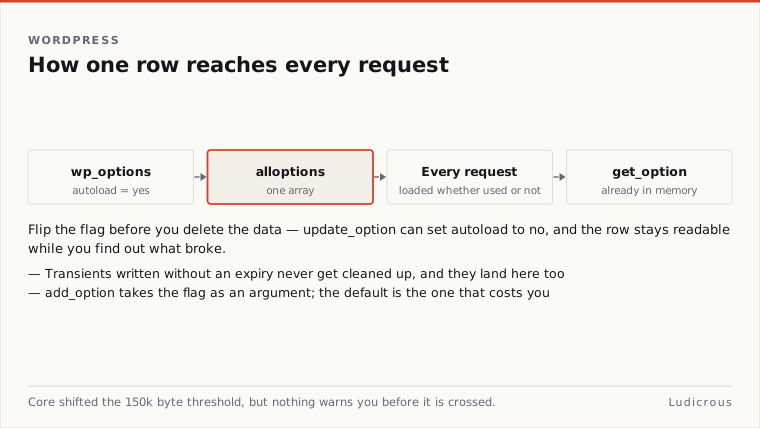
That architecture solves one problem while creating another.
According to technical guides from hosting audit firm Stack Harbor, the alloptions key holds the entire autoloaded set as one large serialized PHP array. Without a persistent object cache configured on the host, the database must execute the autoload query for every uncached page view and every administrative screen. The database reads the rows, transfers the payload to PHP, and PHP unserializes the string into memory.
When the autoload footprint reaches tens of megabytes, PHP spends measurable execution time parsing strings it will never reference during the request. A row loaded on a public homepage might only be relevant to a settings panel deep inside the administrative dashboard. WordPress loads it anyway.
Core Shifted the 150k Byte Threshold
The core development team acknowledged the structural penalty of unmanaged autoloading in mid-2024.
On June 18, 2024, Make WordPress Core announced a direct change to how the Options API handles data writes. In previous versions, calling add_option or update_option without specifying an autoload argument caused WordPress to default to "yes". Plugins that dumped debug logs, temporary caches, or raw layout structures into the options table automatically forced those blobs into every request lifecycle by default.
The June 2024 update altered that default value from "yes" to null. Under this updated structure:
- Passing
trueexplicitly tells WordPress to autoload the option on every page request. - Passing
falseleaves the option in the database until code queries it directly. - Passing
nullhands the decision over to dynamic evaluation within core.
Under this dynamic mechanism, WordPress measures the size of the option value during an update. If an option updated without an explicit true exceeds 150,000 bytes (150k bytes), core automatically disables autoloading for that entry.
The change prevents individual massive rows from silently slipping into the alloptions array during routine operations. But it does not retroactively rewrite rows created years ago under the legacy default behavior. Legacy installations still carry whatever flags their installed extensions wrote to disk.
Add_option / update_option Autoload Decision Path
------------------------------------------------------
Explicit argument:
 ├── true ──> Autoloads on every request
 ├── false ──> Autoload disabled (loaded only on direct query)
 └── null ──> Dynamic evaluation:
 ├── Value > 150k bytes ──> Autoload disabled
 └── Value <= 150k bytes ──> Autoload enabled
Transients Without Expiry Dates Compound the Weight
A common source of invisible bloat sits in the Transients API. Developers use transients to store temporary data, such as remote API responses or heavy calculation results.
The WordPress Developer Blog detailed the underlying mechanics in a June 12, 2024 publication: transients written without an expiration parameter default to autoloading. Because no expiration timestamp is supplied, WordPress treats the transient like a permanent configuration option. It sets the autoload flag to "yes", pulling that cached data into the alloptions array on every subsequent request.
The Developer Blog noted that the simplest method to prevent transients from autoloading is to supply an explicit expiration time, even if that lifetime is set to a single second. When an expiration argument is present, WordPress handles the record differently, preventing the data from attaching itself to the global autoload array.
Where past developers neglected that parameter, temporary API responses remain pinned inside wp_options indefinitely, inflating the memory footprint of every page execution.
Flipping Flags Safely Before Deleting Data
When audits reveal oversized entries in wp_options, the immediate impulse is often to delete the rows outright. That approach introduces unnecessary operational risk.
Removing a row completely can cause fatal errors or trigger regeneration routines if an active plugin expects that record to exist. The documented remediation path focuses on changing how the row is fetched rather than wiping its data.
Stack Harbor recommends a specific three-step sequence for remediation:
- Switch autoload off on heavy options.
- Prune orphaned rows.
- Apply code-level practices to prevent recurrence.
WordPress VIP documentation outlines the direct CLI command to change an option's behavior without deleting its contents:
Wp option autoload set <option_name> noExecuting this command leaves the option data intact in the table. When the specific plugin or theme feature needs that value, it queries the row individually via get_option. The data remains accessible, but it drops out of the global alloptions payload that loads on every standard request.
For installations dealing with dozens of large options simultaneously, Stack Harbor notes that administrators can execute targeted batch database updates through WP-CLI:
Wp db query "UPDATE wp_options SET autoload='no' WHERE option_name IN ('option_one', 'option_two', 'option_three')"Executing updates via direct SQL or WP-CLI requires precision regarding which rows are being altered. Core configuration values—such as site URLs, active plugin lists, and rewrite rules—are required on every request and must retain their autoload status. Flipping flags should be reserved for isolated plugin settings, large cached datasets, and rows left behind by deactivated tools.
Audit and Remediation Workflow
==============================
Step 1: Identify
 └── Query `wp_options` for oversized rows marked with autoload active.
Step 2: Mitigate
 └── Execute `wp option autoload set <option_name> no` on heavy entries.
Step 3: Clean
 └── Prune confirmed abandoned rows after verifying site stability.
Step 4: Prevent
 └── Ensure custom transients define an explicit expiration timestamp.
The Remaining Gaps in the Tooling
While core now guards against new options exceeding 150k bytes, canonical documentation has not published a unified database benchmark showing exact historical performance drop-offs across varying server environments. The official literature does not provide a standard query in the manual for measuring total autoload byte size across edge cases.
Developers auditing legacy sites must assess their database state manually: identify heavy rows that lack active dependencies, flip the autoload flag to no, and verify system behavior before clearing historical data from disk.